

WordPress can be a powerful platform for building an ecommerce website, but is it the right choice for your business?
In this guide, we cover the main advantages and drawbacks of using WordPress for ecommerce, so you have everything you need to decide whether it’s the right fit.
And if you do decide WordPress is the way to go, we’ll help you get started on the right path to building a successful online store.
Image Source: WordPress
Can You Set up Ecommerce on WordPress?
Yes, you can set up ecommerce on WordPress.
You’ll typically use plugins like WooCommerce, which offer tools needed for creating and managing an online store, including product listings, payment gateways, and inventory management.
The Advantages of Using WordPress for Ecommerce Sites
Explore the top benefits of choosing WordPress as the CMS (Content Management System) for your ecommerce business.
Customization options
With WordPress, you have the flexibility to shape your site however you want.
Sleek, minimalist, bold, timeless, elegant, clean, or cozy. Your website can reflect your brand’s identity.
You can begin by choosing from thousands of themes, which determine how a site’s content looks and is displayed.
These themes can be easily tweaked to create a unique online store with minimal effort. If you want even more customization options to make your ecommerce site stand out, WordPress allows you to dive deeper into the design and functionality to ensure your website is one-of-a-kind.
In our web design for ecommerce guide, we get into key principles, best practices, considerations, and more to help you design an appealing, engaging, and responsive website.
Free-to-use
WordPress is completely free, and you can set up as many websites as you like without any upfront costs.
While you may need to pay for hosting, themes, or plugins, the core WordPress software itself is free to use, making it the ideal choice for ecommerce businesses just starting out.
Extensive resources
WordPress has one of the most active communities of any CMS you’ll find. If you face any issues or have questions, you can head to the official forum for answers and advice.
There are also plenty of video and written tutorials across the web, so you’re never short of learning materials.
Beginner-friendly
Even without experience working with CMS or building a website, you can still build a functional ecommerce site using WordPress. While you may not have all the bells and whistles, including advanced functionalities, your website can still serve its purpose. And, you can sell your products and services to customers.
WordPress’s beginner-friendliness comes down to its interface, which is famously easy to use and highly intuitive.
The dashboard offers intuitive navigation, making it easy to manage content, customize themes, and install plugins without any fuss.
For example, if you want to run a blog alongside your ecommerce site, you can easily add new posts from the left-hand side of the interface and manage categories, tags, and media uploads.
You may still need to check out some guides. But generally, WordPress’s ease of use means you can quickly get up to speed without a steep learning curve.
Plugins
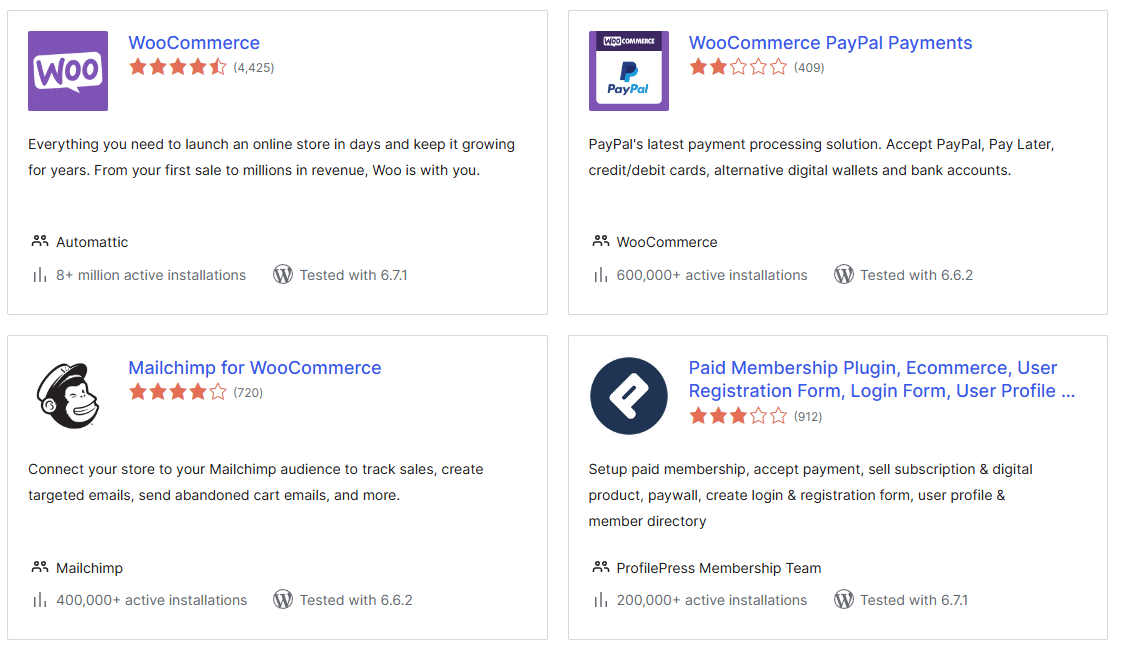
Image Source: WordPress
Explore the full benefits of a WordPress website for any type of business in this guide.
Are There Any Disadvantages of Using WordPress for Ecommerce Sites?
Yes, there are some disadvantages to discuss regarding WordPress for ecommerce sites.
WordPress isn’t built for ecommerce sites. So, it does have some limitations and missing features.
For example, Shopify is a website-building platform purpose-built for ecommerce stores. It provides POS (Point of Sale) systems, unlimited product listings, one-click checkouts, inventory tracking, and other specialized offerings.
In contrast, WordPress was originally designed for content management, and most ecommerce functionalities come from custom plugins.
WordPress websites are also slightly more vulnerable to security issues due to the platform’s popularity and open-source nature.
This doesn’t mean your ecommerce site will be inherently unsafe. But it will require regular updates, strong passwords, and robust security plugins to minimize risks.
However, don’t let these disadvantages put you off completely, as all CMS have their own drawbacks. WordPress remains one of the most popular and powerful options for businesses, offering more than enough pros to outweigh its cons.
Is WordPress Right for My Website?
Now you know the key advantages and disadvantages of using WordPress for ecommerce sites; it’s time to decide whether it’s the right platform for your website.
Here are a few questions to consider:
What is your budget? Since WordPress is free, it’s a better choice for businesses with a strict budget.
What are your future goals? Some CMS platforms are designed to handle large-scale, enterprise-level ecommerce operations more effectively than WordPress. However, for smaller websites, this CMS will be more than enough.
What is your level of technical expertise? WordPress is reasonably beginner-friendly. However, you may still need to outsource your ecommerce site development to get the most from it.
How much support do you need? WordPress has a large community and plenty of resources, making it a better option for businesses that are comfortable troubleshooting independently.
Consider the answers to these questions. Then you can decide whether to use WordPress as your ecommerce CMS or research and test out another option.
The Best Hosting Providers for Setting up a WordPress Ecommerce Site

Image Source: Magnific
You’ll need a hosting provider to set up your site. Hosting providers allocate server space and resources for your website so it can be accessible to users online.
When building an ecommerce website, you’ll have different hosting provider requirements compared to other types of websites, like blogs.
Scalability
Your ecommerce website will need to support a large amount of traffic, even if not to begin with. You should also anticipate it to grow with increasing visits and transactions.
You’ll need a hosting provider that has scalable plans so you can adjust your resources, including your bandwidth and storage, as needed.
Uptime
While none of us want our websites to experience excessive downtime, it can be particularly disastrous for ecommerce stores. If a user plans to make a purchase and encounters downtime, they may abandon the site and look for an alternative, resulting in lost sales.
If visitors don’t view your website as reliable, they may not return, further damaging your trust and reputation.
That’s why you should look for a provider with an uptime guarantee of at least 99.9%.
Security
Since visitors will be making purchases on your website, you need specific security features, including SSL certificates, which encrypt transactions.
The best WordPress ecommerce hosting providers will offer these security features. This will let you protect your customers’ sensitive data and prevent unauthorized access or data breaches, creating a safe and secure shopping experience.
Performance
When we’re making a purchase online, we want a smooth and fast process.
ecommerce sites can have a large number of elements on each page, which can potentially slow down page loading times. If a visitor has to wait for a page to load every time they navigate through your site, they may become frustrated, abandon their carts, and leave.
Some hosting providers offer specialized features that improve your site’s performance, such as SSD storage, so be sure to check out what add-ons you can get before choosing one.
Our Top Ecommerce Hosting Provider Choices
Considering the above factors, here are our recommendations for hosting your ecommerce website.
- WP Engine: Flexible plans, generous resources, knowledgeable customer support, and helpful security features such as DDoS protection and auto-renewing SSL certificates.
- Bluehost: Reliable servers, DDoS protection, free SSL, and daily website backups.
- DreamHost: Affordable hosting options with free WordPress migrations and AI website-building tools.
For a more detailed comparison and analysis, check out our comprehensive guide to the best hosting providers in 2025.
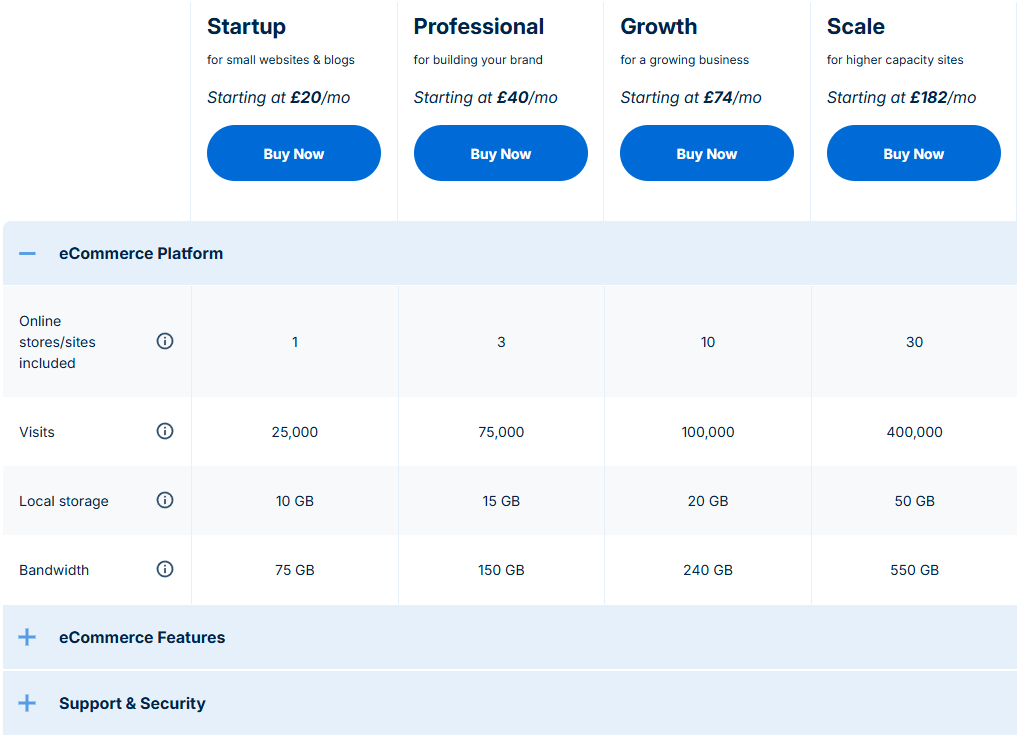
Image Source: WordPress
Swiftly Set up Your Ecommerce Website on WordPress
Getting your WordPress ecommerce site live is just the beginning.
Once your store is up and running, there’s still plenty to manage. Website maintenance, SEO, security updates, performance monitoring, and more all come after the initial setup. Juggling all of these while trying to run a business can quickly become overwhelming.
That’s where we come in. At DEMA Marketing, we offer solutions for all your digital marketing and website management needs, from keeping your site secure and optimized to helping you attract more customers and drive sales.
That means less time worrying about the technical side of things and more time focused on growing your business.
Get in touch today to receive a quote and take the next step toward building a successful WordPress ecommerce store.
FAQs on WordPress for Ecommerce
Find out more about using WordPress for ecommerce websites with these answers to frequently asked questions.
Is WordPress Ecommerce Free?
Yes, since WordPress is open-source, it is completely free to use for any type of website. There are also thousands of free themes and plugins to help you expand the functionality of your website and make it unique to your business.
Are There Any Good WordPress Ecommerce Themes?
Yes, there are plenty of fantastic themes you can use to customize your ecommerce site on WordPress. Our favorites include:
- Astra: Compatible with most page builder plugins, offers pre-built designs and an effortless drag-and-drop feature, letting business owners easily create stunning, sleek online stores.
- Flatsome: Supports highly responsive, engaging websites with a large library of ecommerce elements, including free shipping bars, off-canvas filtering, and wishlist buttons.
- Divi: Allows for real-time visual editing, thousands of elements such as cart totals, product ratings, and product stock amounts, and over 200 pre-made layouts for ecommerce websites.
Is WordPress Secure Enough for Ecommerce?
Although WordPress websites may be a target for hackers due to their popularity, they can be secure enough for ecommerce when properly managed.
You can increase your site’s resilience against attacks by choosing a hosting provider with strong security features, setting up two-factor authentication, regularly updating all plugins and themes, and renewing SSL certificates.